Plan my week
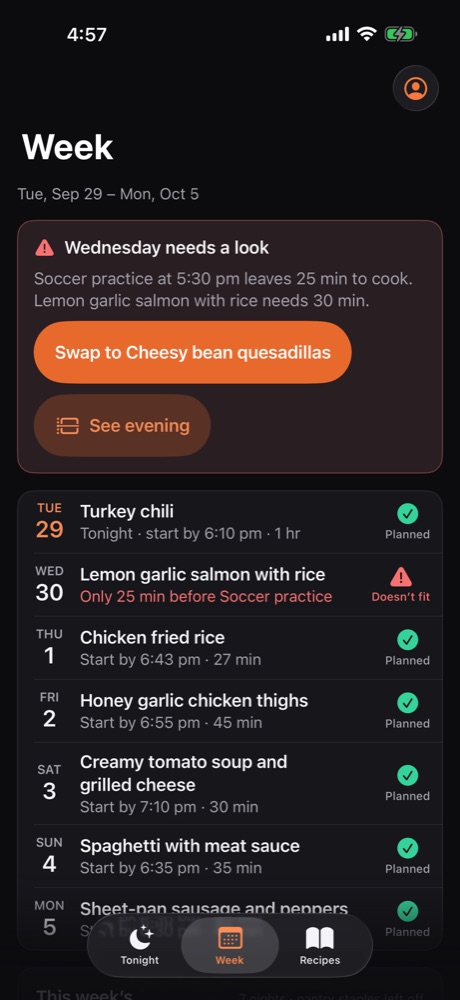
Seven dinners in one tap, each one fitted around that night’s calendar, with no repeats. Swap any night you don’t fancy.
 Oskie
Oskie
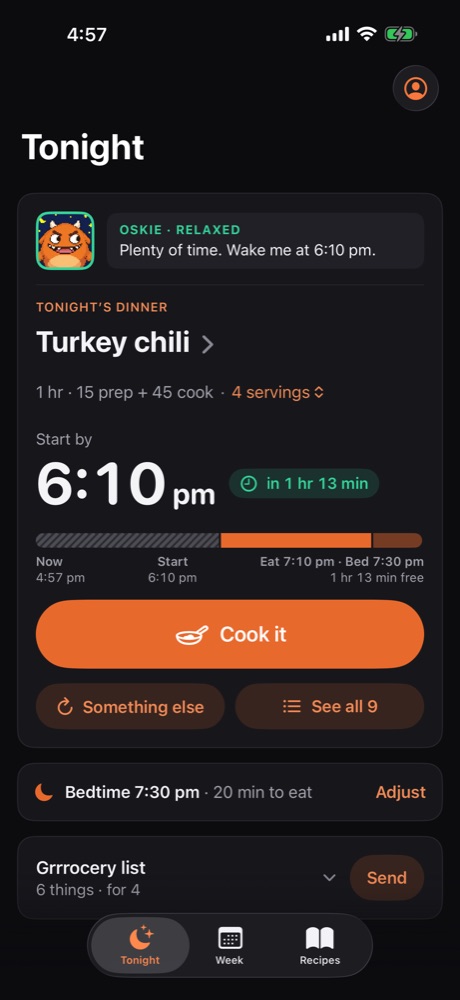
Tell Oskie when bedtime is. It counts back from the clock and picks one of your recipes that fits the time you have left.
It’s
5:15 pm
Oskie picks
25 min · start by 6:45 pm
Oskie is relaxed. Plenty of time.
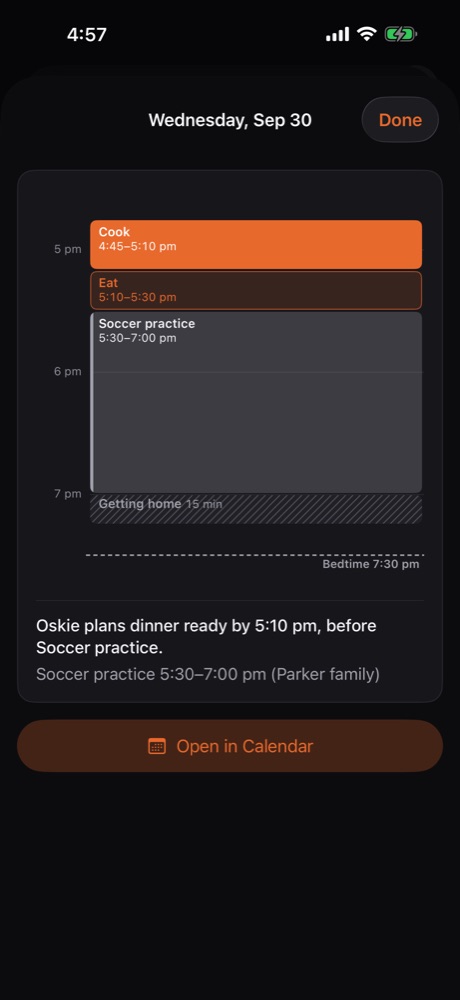
Soccer practice from 5:30 to 7:00, bedtime at 7:30. Here’s how Oskie fits dinner in.
It sees you’re busy from 5:30 to 7:00 and plans dinner for before you leave. Only the busy times leave your phone, never what the event is.
One tap sends the ingredients to your Reminders grocery list, scaled to how many you’re feeding. Things you always have, like salt and oil, stay off it.
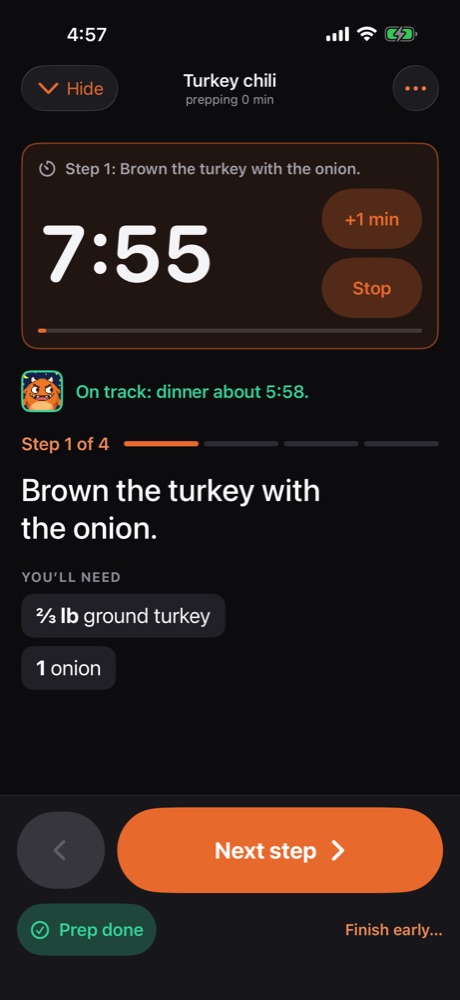
Cook mode shows one step at a time in big text, with timers that ring when the rice is done. Oskie gets grumbly as the start-by time gets close.
Twenty minutes to eat before you head out. Oskie timed it. After a few cooks, it plans with how long a recipe really takes you, not what the recipe claims.
Everyone ate, the kids are in pajamas, and Oskie has already had its fill of minutes.
A demo family’s week, just before five.
Tired of the same seven dinners? Every day Oskie looks through a few well-loved cooking sites and picks out new dinners for you.
Seven dinners in one tap, each one fitted around that night’s calendar, with no repeats. Swap any night you don’t fancy.
Recipes you’ve opened stay on your phone, so cook mode keeps going when the kitchen Wi‑Fi doesn’t.
Open a recipe in Safari and share it to Oskie. It reads the ingredients, steps and times for you to check.
Invite your partner, and you both see the same week, the same pick and the same grocery list.
Your calendar stays yours. Oskie only learns when you’re busy.Read the privacy policy